Doctors · 3 min read
SBAR snapshot and the AI summary
A one-glance SBAR view of any patient, and the AI-drafted Ground Truth summary behind it.
The SBAR Snapshot gives you Situation-Background-Assessment-Recommendation at a glance on the Chart tab. Behind it sits an AI-drafted summary you can regenerate or edit.
The SBAR Snapshot
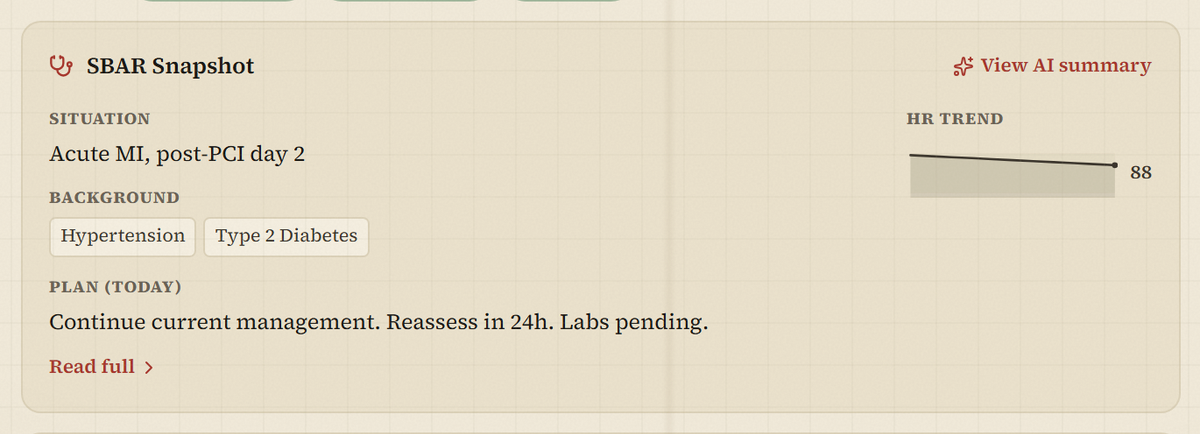
On the Chart tab, the SBAR Snapshot card shows:
- Situation — the working or primary diagnosis.
- Background — chronic-condition chips.
- Plan (today) — the latest SOAP plan, with a Read full link to the SOAP Notes tab.
- An HR trend sparkline.
The AI summary (Ground Truth)
- 1On the SBAR Snapshot card, select View AI summary.
- 2The AI summary modal opens, showing when it was last updated. If none exists yet, you'll see “No AI summary yet.”
- 3Select Regenerate from chart to draft a fresh summary from the current patient data.
- 4Select Edit to adjust the text, then Save.
Heads up
The AI summary is generated from recorded data. Read it as a starting point and verify against the chart before you act on it. Regenerate and Edit are available to clinical roles only.