The MAR: administering medications
Work the medication administration record — what's due, and how to record Given, Held, or Refused.
The MAR (Medication Administration Record) is where nurses record every dose. There's a cross-patient MAR for your whole assignment, and a per-patient MAR inside each chart.
Your cross-patient MAR
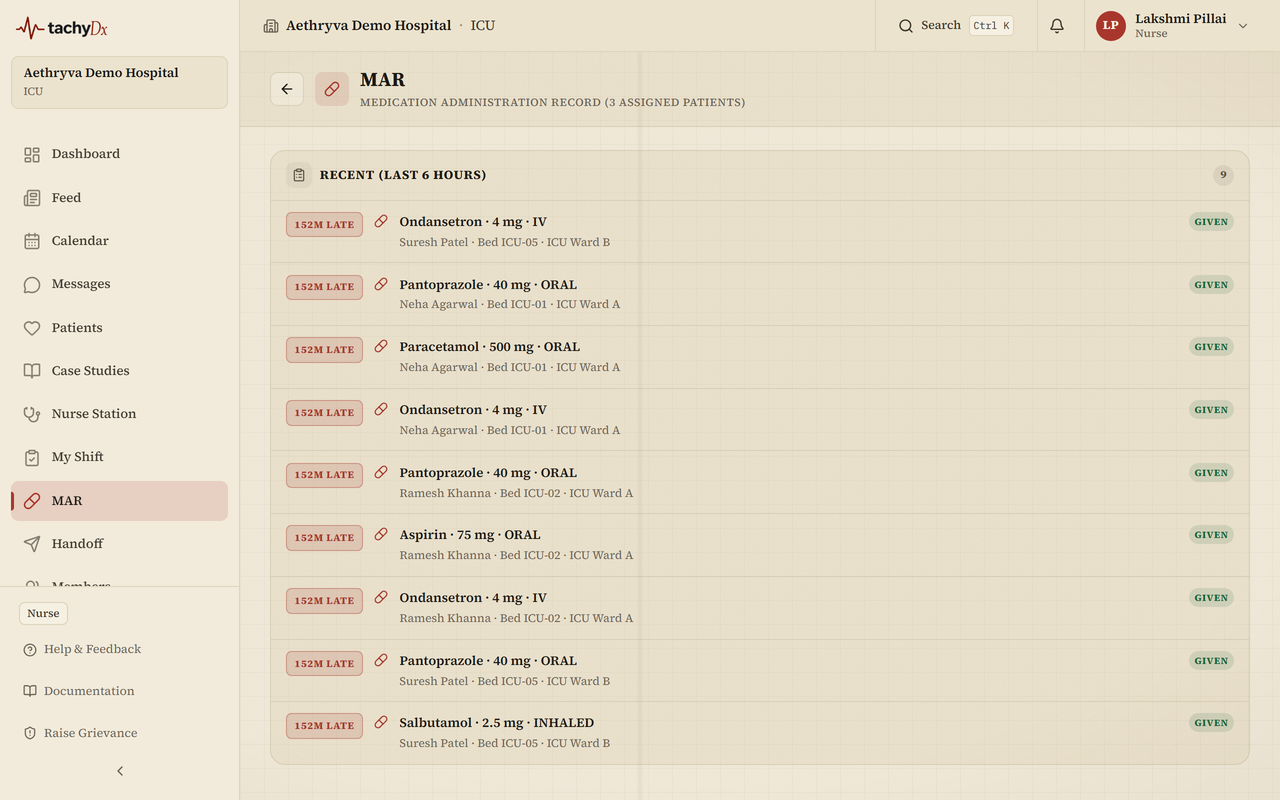
Open MAR from the sidebar. It covers the patients you're the primary nurse for, in a window from 6 hours back to 6 hours ahead, grouped by urgency:
- Overdue (red)
- Due in next 30 minutes (amber)
- Due in next 4 hours (green)
- Recent (last 6 hours) — read-only history
Recording an administration
- 1Find the dose and select Administer.
- 2In the Record administration dialog, set the Status — Given, Held, or Refused.
- 3Enter the Dose given (e.g. 500mg).
- 4If you held or refused, enter a Reason (e.g. patient NPO). Add any Notes.
- 5Select Record.
The per-patient MAR
Inside a patient's chart, the Medications tab has a Medications / MAR toggle. The MAR view shows today's totals (Given / Held / Refused), Quick Administer chips per active medication, and the administration history grouped by date. Recording uses the same Given / Held / Refused dialog.
Note
Administering is limited to nurses, doctors, and admins. Pharmacists verify and dispense from the Order Queue and the chart's Orders tab, not from the MAR.