Nurses · 2 min read
Charting vitals
Record a set of vitals on a patient and read them as a list or trend.
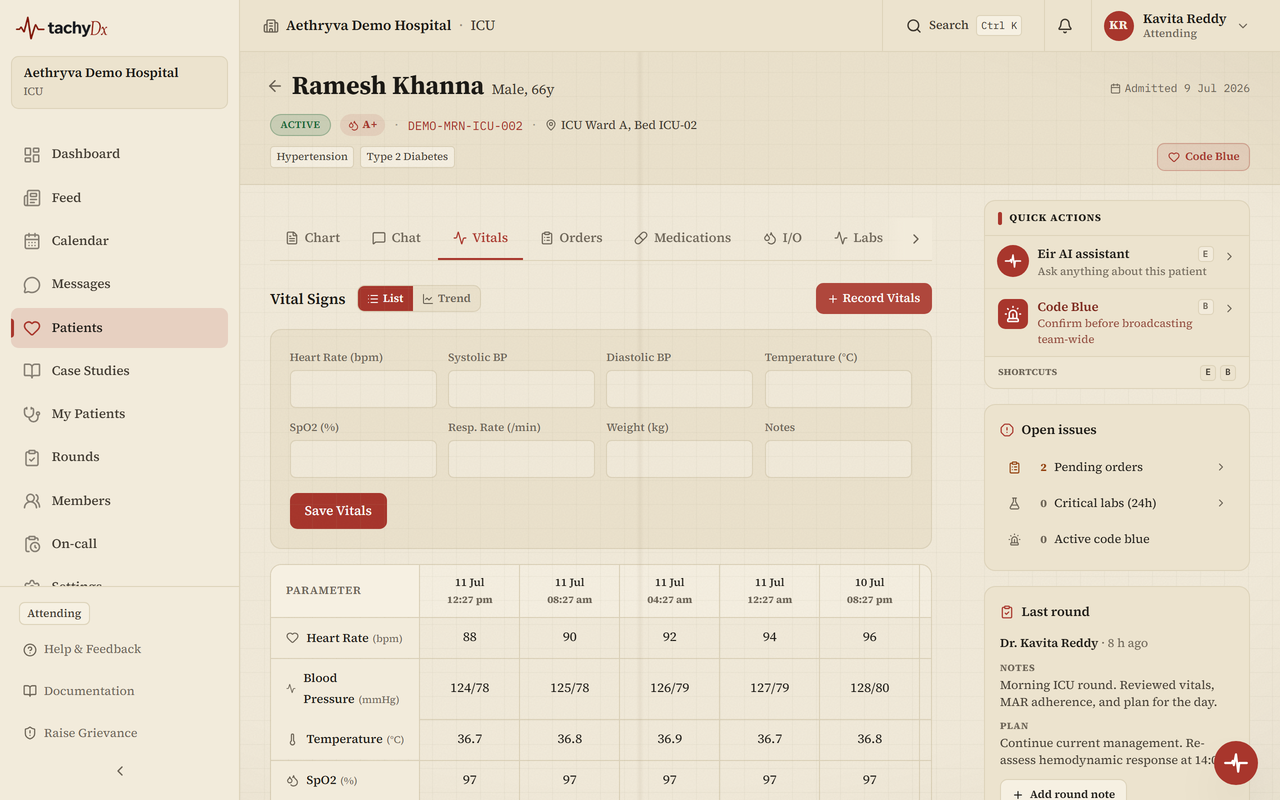
Vitals are recorded on the patient chart's Vitals tab and feed the clinical scores and deterioration sorting across the workspace.
Record a set of vitals
- 1Open the patient's chart and go to the Vitals tab.
- 2Select Record Vitals.
- 3Enter the values you measured: Heart Rate (bpm), Systolic BP, Diastolic BP, Temperature (°C), SpO2 (%), Resp. Rate (/min), Weight (kg), and any Notes.
- 4Select Save Vitals.
Heads up
You must enter at least one measured vital — notes alone won't save. Values outside safe ranges (for example a low SpO2 or a high heart rate) are highlighted in red.
Reading vitals
Use the List / Trend toggle at the top of the tab. List shows a parameter-by-time table; Trend shows a chart per vital with reference ranges.