Add staff to your hospital
Three ways to bring staff in: bulk import a roster file, invite by email, or share your join code.
All three methods live on the Members page (admin/owner only). The header shows your seat usage (e.g. 50 seats) and trial status. Every method sends an invitation — staff finish signing up themselves.
Option A — Bulk import a roster
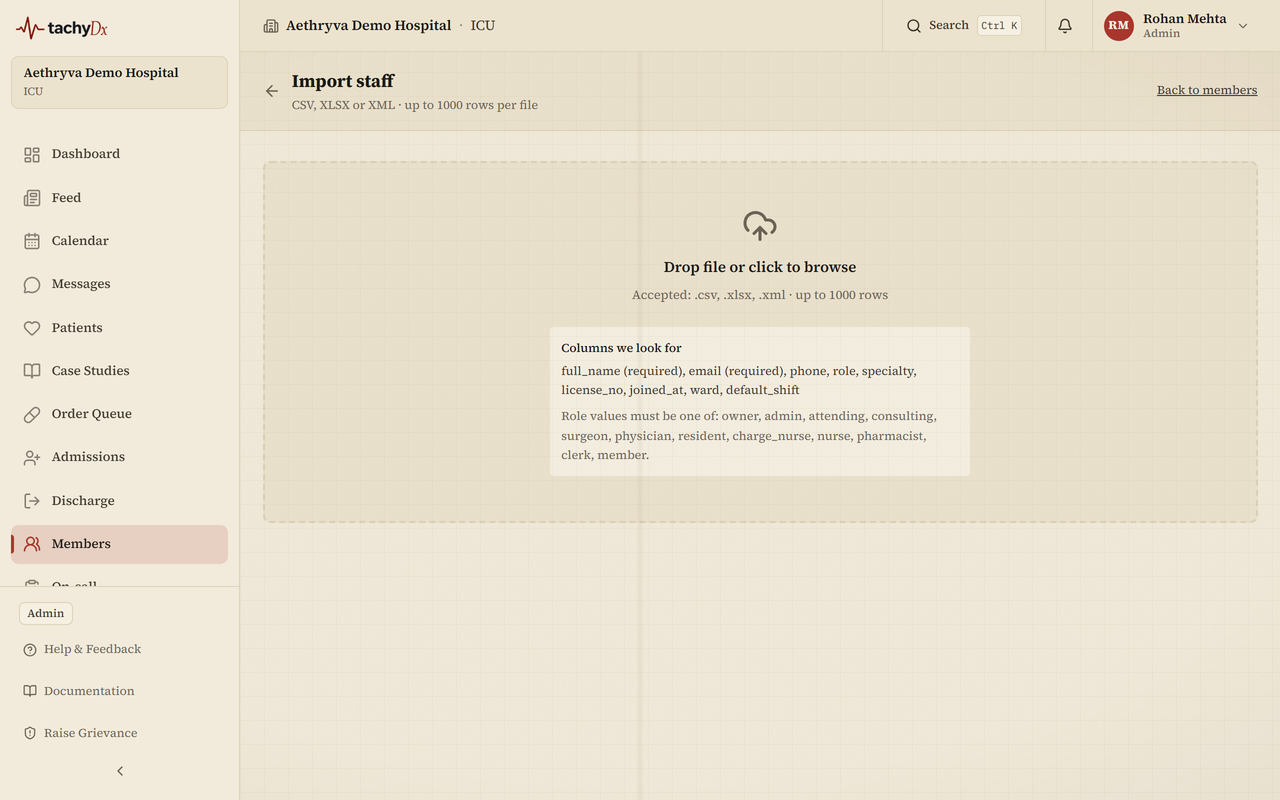
The fastest way to add a whole hospital at once. Supports CSV, XLSX, and XML, up to 1000 rows per file.
- 1On the Members page, select Import staff from file.
- 2Upload: drop your file (`.csv`, `.xlsx`, or `.xml`). The importer looks for these columns: full_name (required), email (required), phone, role, specialty, license_no, joined_at, ward, default_shift.
- 3Map: match each column in your file to the canonical field. You must map at least full name and email. For XLSX with multiple sheets, pick the sheet first.
- 4Preview: review the row count (“N rows · X ready · Y need attention”), fix any flagged cells inline, then select Send N invites once no rows need attention.
- 5Done: you'll see “X invited · Y skipped · Z failed” with a per-row results table.
Note
Role values in your file must be one of: owner, admin, attending, consulting, surgeon, physician, resident, charge_nurse, nurse, pharmacist, clerk, member. Each invite is a single-use link valid for 7 days, sent by email.
Option B — Invite by email
- 1On the Members page, find Invite by email.
- 2Enter the person's email, choose their role from the dropdown, and select Send invite.
- 3The invite appears under Pending invitations, where you can copy the link, Resend, or Revoke it.
Note
The role dropdown offers Admin, Attending, Consulting, Surgeon, Physician (service), Resident, Charge nurse, Nurse, Pharmacist, Clerk, and Member (non-medical). Owner is intentionally left out — a hospital has only one owner. Roles can be changed after the person accepts.
Option C — Share the join code
The Members page (and Settings) shows your hospital's Invite Code. Share it with staff — they enter it in their workspace to join. You can regenerate the code from Settings if it needs to change.
Heads up
If Invite by email is greyed out, email invitations are turned off. Re-enable them under Settings → Team Administration → Email Invitations.