Getting started · 3 min read
What TachyDx Teams is
The hospital workspace where your whole clinical team works from one shared, real-time patient record.
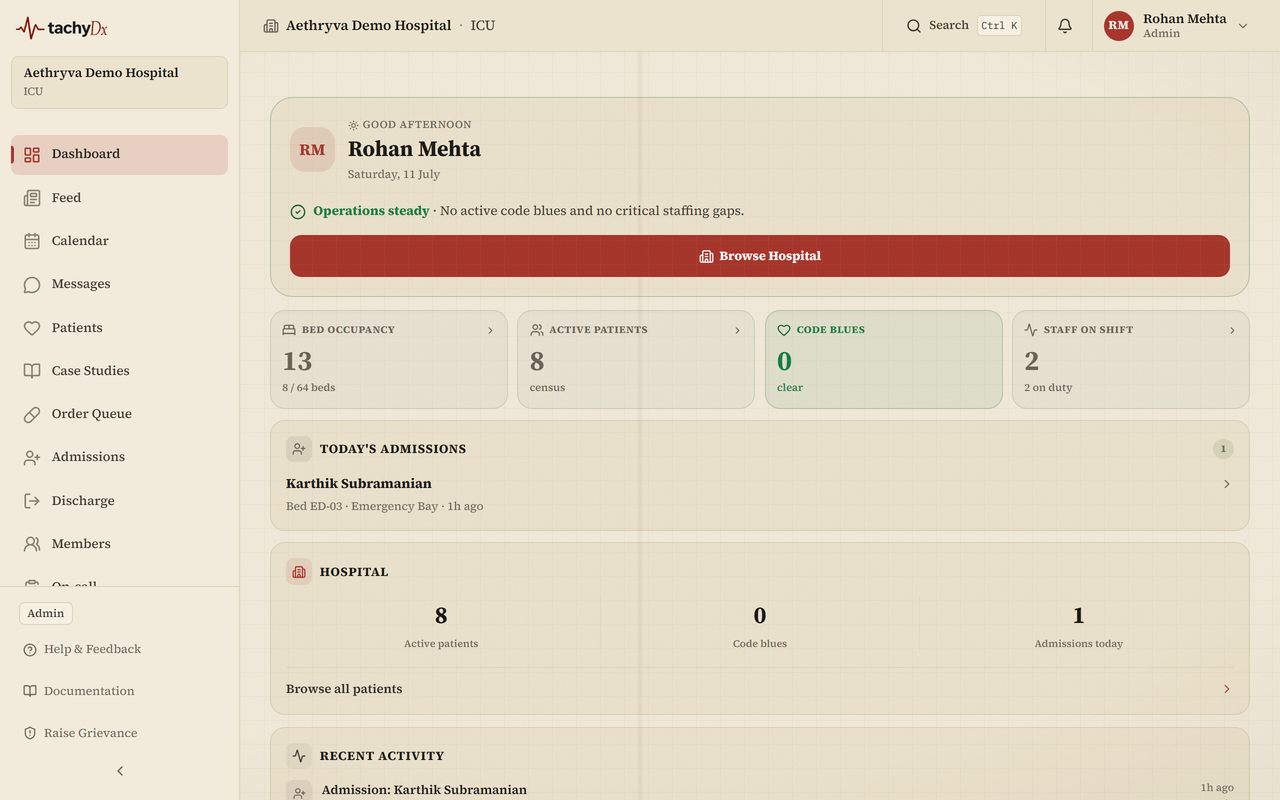
TachyDx Teams is a hospital-wide clinical workspace. Doctors, nurses, pharmacists, and records staff share one live patient record, hand off shifts, run rounds, and escalate emergencies — all in a single console your hospital admin sets up.
Two platforms, one login
TachyDx has two sides that use the same account system but are kept separate:
- Teams — your hospital console. This is the clinical workspace: dashboards, patient charts, the MAR, rounds, handoffs, and Code Blue. It lives under the Teams Console (the “Hospital Console” header).
- The research portal — the public physician Q&A and publishing side (Questions, Research, Publishing, CME). Covered under Research & publishing in this knowledgebase.
Note
If your hospital gave you credentials, you belong on the Teams side. Sign in at the Teams login, not the research portal login.
What you can do in the workspace
- See a role-aware dashboard the moment you sign in — what you see depends on whether you are an attending, nurse, pharmacist, admin, and so on.
- Open any patient's chart with tabs for vitals, orders, medications, labs, notes, and more.
- Record work at the bedside: vitals, medication administration (the MAR), nurse notes, and SBAR handoffs.
- Escalate with Code Blue and physician paging.
- Ask Eir, the information assistant, to summarise a patient from the recorded data (it never prescribes).
New here?
Read Signing in to Teams next, then How hospital membership works to understand the one-user-one-hospital model.